Generations: your content history and queue
Video: find your generations and queue
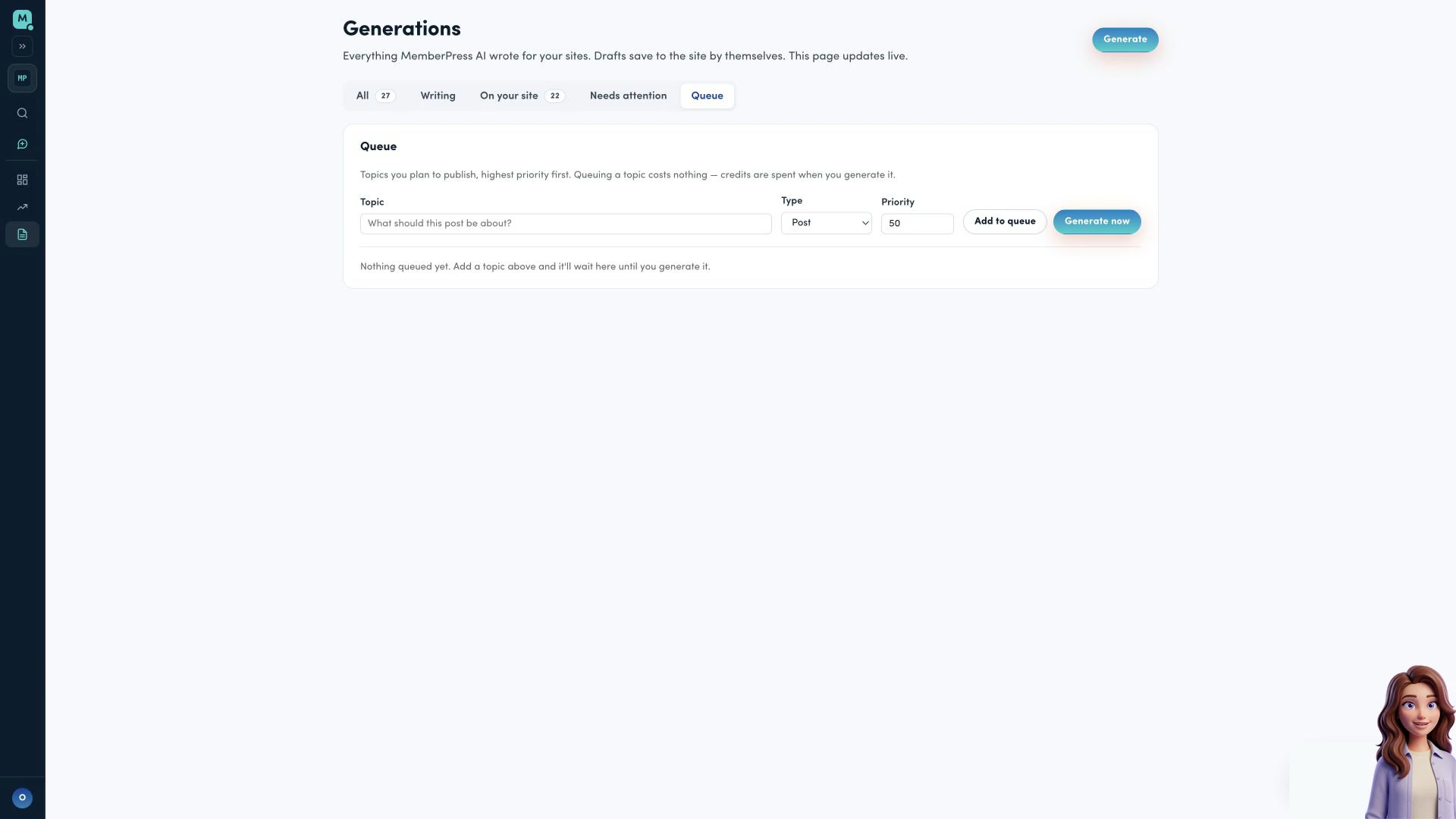
Watch Opal find saved content and inspect the queue before starting new work.
Generations is a Pro feature. It’s where every draft MemberPress.ai has written for you ends up, and where you queue up what to write next.
All, Writing, On your site, Needs attention
The All tab lists every generation job (posts, pages, courses, lessons, and quizzes) newest first, including ones still queued or running and ones that failed. Writing, On your site and Needs attention filter the same list: what’s being generated now, what’s already on your site as a draft or published, and what failed. Drafts save to the site by themselves, and the Where it is column shows where each one is. Open a row to read the result when generation succeeded. For a post or page you can copy its title or body, or send it to your site as a draft if you haven’t already; a course sends as a course, and a lesson or quiz attaches to its section of a course that is already on your site — send the course first if it is not. Posts and pages can also be published under a recorded-consent gate (see Which changes ask you to confirm); that is not the same as send-as-draft. Nothing here spends credits again; credits are charged only when a generation succeeds. See Credits for what each generation costs.
Queue
The Queue tab is where topics wait before you generate them, highest priority first. Queuing a topic costs nothing — credits are spent when you generate it, not when you add it. Use Add to queue on the queue form to add a topic, or Generate now to add it and start generating right away. The page-head Generate button switches to the Queue tab and focuses the topic field so you can type what to add.
The queue belongs to one connected site at a time — pick that site in the switcher, not All sites. If you have not connected a site yet, the panel shows Connect a site first instead of the form. A queued topic has its own Generate button; once it starts, the row shows its status instead. Every row has Remove. When the list is capped, a note states how many topics that site holds in total.
Reaching Generations another way
If you drive MemberPress.ai from your own AI client, anything it generates for you lands here too, so you can read it back or send it to your site later alongside everything generated in the app. See Using your own AI client.
Generations is part of the paid plan’s “does the work” side — see Plans: free reads, paid does the work. If you’re building toward a new site, see Your money plan for the numbers behind that decision.
FAQ
What's on the Generations page?
Five tabs. All lists every generation job (posts, pages, courses, lessons, and quizzes, including queued, running, and failed ones). Writing shows what is being generated now. On your site shows drafts and published items already on your site. Needs attention shows failed jobs. Queue holds topics you plan to write next. Credits are charged only when a generation succeeds. Generations is a Pro feature.
Does queuing a topic cost credits?
No. Queuing costs nothing — credits are spent only when you generate the topic, not when you add it to the queue.
Can I read something back after I've generated it?
Yes. Open any succeeded row in All to read it back. A post or page can be copied or sent to your site as a draft; a course sends as a course, and a lesson or quiz attaches to its course.